


Error handling in Spring Boot ensures your application remains stable, user-friendly, and easy to debug. Here’s how you can manage errors effectively:
- Default Handling: Spring Boot provides a fallback error page and basic error attributes but lacks customization.
- Global Error Handling: Use
@ControllerAdviceand@ExceptionHandlerto centralize and simplify exception management. - Custom Responses: Create detailed, user-friendly error messages with HTTP status codes, timestamps, and error codes.
- Custom Exceptions: Define exceptions like
ResourceNotFoundExceptionorValidationExceptionfor specific scenarios. - Logging and Monitoring: Implement structured logging and tools like Inspector.dev for real-time error tracking.
Quick Overview
| Feature | Use | Example |
|---|---|---|
| Default Handling | Basic error page and attributes | White-label error page |
@ControllerAdvice |
Centralized error handling | Custom global exception handler |
| Custom Error Responses | Clear messages with status, timestamps, and codes | “User not found” (404) |
| Custom Exceptions | Tailored exceptions for specific issues | ValidationException (400) |
| Real-Time Monitoring | Track and analyze errors | Inspector.dev integration |
This guide walks you through setting up error handling, customizing responses, and using tools to monitor and improve your Spring Boot application.
Master Exception Handling in Spring Boot: @ExceptionHandler & @ControllerAdvice Explained
Setting Up Global Error Handling
Spring Boot’s default error handling can be extended using @ControllerAdvice and @ExceptionHandler. These tools allow you to centralize and customize exception management, cutting down on repetitive code and ensuring consistent error handling across your application.
Using @ControllerAdvice and @ExceptionHandler for Centralized Error Handling
Here’s an example of how to implement centralized error handling:
@ControllerAdvice
public class GlobalExceptionHandler {
    private static final Logger logger = LoggerFactory.getLogger(GlobalExceptionHandler.class);

    @ExceptionHandler(ResourceNotFoundException.class)
    public ResponseEntity<ErrorResponse> handleResourceNotFound(ResourceNotFoundException ex) {
        logger.error("Resource not found: {}", ex.getMessage());
        ErrorResponse error = new ErrorResponse(
            HttpStatus.NOT_FOUND.value(),
            ex.getMessage(),
            LocalDateTime.now()
        );
        return new ResponseEntity<>(error, HttpStatus.NOT_FOUND);
    }

    @ExceptionHandler({IllegalArgumentException.class, ValidationException.class})
    public ResponseEntity<ErrorResponse> handleValidationExceptions(Exception ex) {
        logger.error("Validation error: {}", ex.getMessage());
        ErrorResponse error = new ErrorResponse(
            HttpStatus.BAD_REQUEST.value(),
            ex.getMessage(),
            LocalDateTime.now()
        );
        return new ResponseEntity<>(error, HttpStatus.BAD_REQUEST);
    }
}
In this setup, exceptions are grouped by type, making the code easier to maintain and scale over time.
Designing Custom Error Responses
Custom error responses are key to providing clear and actionable information. These responses should include details like HTTP status, user-friendly messages, timestamps, request paths, and error codes for debugging. Here’s an example model for a custom error response:
public class ErrorResponse {
    private int status;
    private String message;
    private LocalDateTime timestamp;
    private String path;
    private String errorCode;

    // Constructor and getters/setters
}
| Component | Purpose | Example Value |
|---|---|---|
| Status | HTTP status code | 404 |
| Message | User-friendly description | “The requested user profile was not found” |
| Timestamp | When the error occurred | “2024-12-10T14:30:00Z” |
| Path | Request URL | “/api/users/123” |
| Error Code | Internal reference code | “USER_NOT_FOUND_001” |
This structure ensures that responses are clear for users while still providing developers with the context needed for debugging.
For better error tracking, structured logging can capture error details in a consistent format. Here’s an example:
@ExceptionHandler(Exception.class)
public ResponseEntity<ErrorResponse> handleGenericException(Exception ex, WebRequest request) {
    String errorReference = generateErrorReference();
    logger.error("Error reference {}: {} - {}",
        errorReference,
        ex.getClass().getSimpleName(),
        ex.getMessage()
    );

    ErrorResponse error = new ErrorResponse(
        HttpStatus.INTERNAL_SERVER_ERROR.value(),
        "An unexpected error occurred. Reference: " + errorReference,
        LocalDateTime.now()
    );
    return new ResponseEntity<>(error, HttpStatus.INTERNAL_SERVER_ERROR);
}
This approach helps maintain graceful error handling while also providing detailed logs for troubleshooting.
After setting up a global error-handling strategy, you can move on to tailoring responses for specific exceptions or scenarios.
Customizing Error Handling for Specific Needs
Creating and Managing Custom Exceptions
Custom exceptions allow you to tailor error handling by providing clear and specific feedback for various error scenarios. Here’s an example of how to implement them:
public class ApiError {
    private int code;
    private String message;
    private String detail;
    private LocalDateTime timestamp;

    public ApiError(int code, String message, String detail) {
        this.code = code;
        this.message = message;
        this.detail = detail;
        this.timestamp = LocalDateTime.now();
    }
}

@ResponseStatus(HttpStatus.NOT_FOUND)
public class ResourceNotFoundException extends Exception {
    private final String resourceId;

    public ResourceNotFoundException(String resourceType, String id) {
        super(String.format("%s with id %s not found", resourceType, id));
        this.resourceId = id;
    }
}
The ApiError class captures key details like error codes, user-friendly messages, technical context, and timestamps, making it easier to debug issues. These details improve communication between developers and users alike.
Using @ResponseStatus for Custom HTTP Status Codes
After defining custom exceptions, you can associate them with specific HTTP status codes using the @ResponseStatus annotation. This makes it easier to communicate the nature of errors to API consumers.
@ResponseStatus(HttpStatus.BAD_REQUEST)
public class ValidationException extends RuntimeException {
    public ValidationException(String message) {
        super(message);
    }
}

@ResponseStatus(HttpStatus.CONFLICT)
public class DuplicateResourceException extends RuntimeException {
    public DuplicateResourceException(String resource, String field) {
        super(String.format("%s with this %s already exists", resource, field));
    }
}
To ensure these exceptions are handled properly, use a global exception handler:
@ControllerAdvice
public class CustomExceptionHandler {
    private static final Logger logger = LoggerFactory.getLogger(CustomExceptionHandler.class);

    @ExceptionHandler(ValidationException.class)
    public ResponseEntity<ApiError> handleValidation(ValidationException ex) {
        logger.error("Validation error occurred: {}", ex.getMessage());
        ApiError error = new ApiError(
            HttpStatus.BAD_REQUEST.value(),
            ex.getMessage(),
            "Validation failed"
        );
        return new ResponseEntity<>(error, HttpStatus.BAD_REQUEST);
    }

    @ExceptionHandler(DuplicateResourceException.class)
    public ResponseEntity<ApiError> handleDuplicate(DuplicateResourceException ex) {
        logger.error("Duplicate resource error: {}", ex.getMessage());
        ApiError error = new ApiError(
            HttpStatus.CONFLICT.value(),
            ex.getMessage(),
            "Resource already exists"
        );
        return new ResponseEntity<>(error, HttpStatus.CONFLICT);
    }
}
This setup ensures consistent and clear error messages while streamlining debugging for developers and providing better error information to API users.
Examples and Best Practices for Error Handling
Code Examples for Global Error Handling
Here’s an example of how you can set up global error handling in a Spring Boot application:
@ControllerAdvice
public class GlobalExceptionHandler {
    private static final Logger logger = LoggerFactory.getLogger(GlobalExceptionHandler.class);

    @ExceptionHandler({RuntimeException.class, Exception.class})
    public ResponseEntity<ErrorMessage> handleExceptions(Exception ex, WebRequest request) {
        ErrorMessage errorMessage = new ErrorMessage(
            HttpStatus.INTERNAL_SERVER_ERROR.value(),
            LocalDateTime.now(),
            ex.getMessage()
        );

        logger.error("Error occurred: {}", ex.getMessage(), ex);
        return new ResponseEntity<>(errorMessage, HttpStatus.INTERNAL_SERVER_ERROR);
    }
}
This example uses the @ControllerAdvice annotation to centralize exception handling, making it easier to manage errors across the entire application.
Tips for Effective Error Management
To ensure your error-handling strategy is practical and maintainable, consider these tips:
- Structured Logging: Use consistent and detailed logging to capture key information for debugging. For instance:
@ExceptionHandler(RuntimeException.class)
public ResponseEntity<ErrorResponse> handleRuntimeException(RuntimeException ex) {
    log.error("Error occurred: {}", ex.getMessage(), ex);
    return new ResponseEntity<>(new ErrorResponse("Unexpected error"), HttpStatus.INTERNAL_SERVER_ERROR);
}
- Thorough Testing: Test your error-handling mechanisms under different scenarios to ensure reliability. Here’s an example test case:
@SpringBootTest
@AutoConfigureMockMvc
class ErrorHandlingTests {
    @Autowired
    private MockMvc mockMvc;

    @Test
    void whenResourceNotFound_thenReturns404() throws Exception {
        mockMvc.perform(get("/api/users/999"))
               .andExpect(status().isNotFound())
               .andExpect(jsonPath("$.message").value("User not found"))
               .andExpect(jsonPath("$.timestamp").exists());
    }
}
Testing like this helps verify that your application responds appropriately to various error conditions.
Using Inspector.dev for Real-Time Error Monitoring
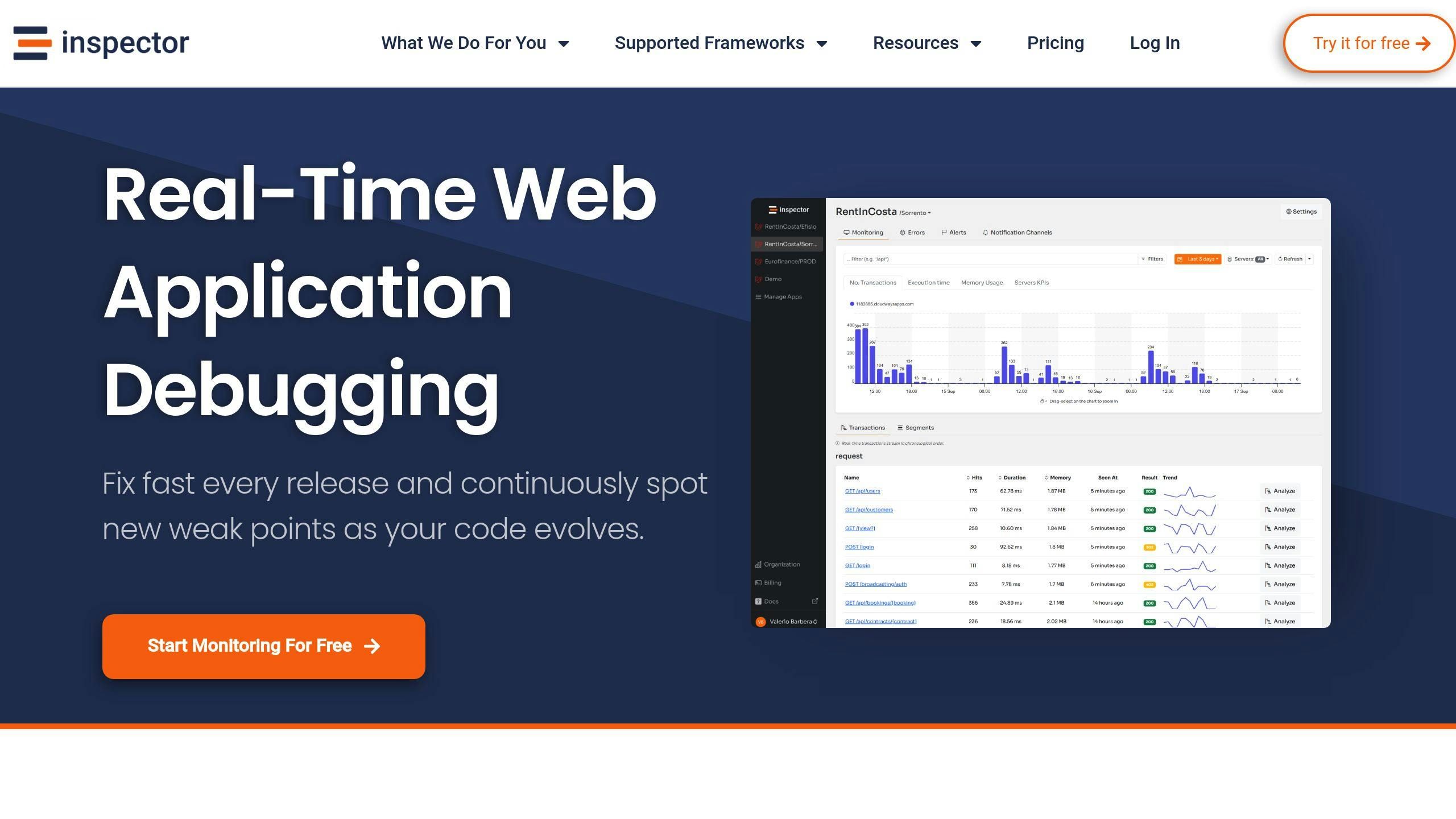
Error handling is only part of the equation. Tools like Inspector.dev can help you monitor errors in real-time, giving you a better understanding of what’s happening in your application. Inspector.dev provides plans tailored for teams of all sizes and needs.
Here’s how you can integrate Inspector.dev into a Spring Boot project.
1. Install
Add the Inspector package to your application’s dependencies in the pom.xml file:
<dependency>
    <groupId>dev.inspector</groupId>
    <artifactId>spring</artifactId>
    <version>1.0.0</version>
</dependency>
Reload the installed dependencies with maven:
mvn clean install
2. Configure the Ingestion Key
Add the ingestion key to the application.properties file:
inspector.ingestion-key=81e6d4df93xxxxxxxxxxxxxxxxxxxxxxxxxx
Inspector.dev uses AI to analyze issues, suggest fixes, and track recurring problems. It also monitors SQL queries and performance metrics, offering a detailed view of your application’s behavior. This makes it a valuable support to your application maintenance effort.
Key Takeaways
Centralized error handling in Spring Boot applications simplifies debugging and ensures consistency. Using @ControllerAdvice alongside @ExceptionHandler helps create a system that processes exceptions uniformly throughout your application. Adding custom error responses and monitoring tools ensures errors are managed effectively while providing clear and actionable feedback.
To get started with error handling in your Spring Boot application, follow these steps:
- Set Up Centralized Error Management
Configure@ControllerAdviceand implement@ExceptionHandlerto streamline error handling across your application.
Design error responses that include key details like status codes, timestamps, and descriptive error messages.
Use monitoring tools, such as Inspector.dev, to track and alert on errors in real-time.
These practices, combined with the tools discussed earlier, help build a solid framework for managing errors. Thoughtful error handling not only assists developers in diagnosing problems but also enhances the user experience by providing clear, helpful feedback.
Start small and refine your approach as you gather feedback from real-world scenarios. Focus on crafting error messages that balance technical detail for developers with simplicity for users. This approach will help keep your application both reliable and user-friendly as it grows.
FAQs
Here are answers to some frequently asked questions about handling errors in Spring Boot:
What is @ExceptionHandler in Spring Boot?
The @ExceptionHandler annotation links specific exceptions to methods in your controllers. This allows you to handle errors effectively and return structured responses.
For instance, here’s how you can handle a ResourceNotFoundException:
@ExceptionHandler(ResourceNotFoundException.class)
public ResponseEntity<ErrorResponse> handleResourceNotFound(ResourceNotFoundException ex) {
    ErrorResponse error = new ErrorResponse(
        HttpStatus.NOT_FOUND.value(),
        ex.getMessage(),
        LocalDateTime.now()
    );
    return new ResponseEntity<>(error, HttpStatus.NOT_FOUND);
}
This approach ensures that when a ResourceNotFoundException occurs, the application responds with a clear and consistent error message.
When should you use @ControllerAdvice?
@ControllerAdvice helps you manage exceptions across multiple controllers by centralizing error handling. It simplifies the process of creating consistent error responses and managing common exceptions across your application.
You can also limit @ControllerAdvice to specific packages or controllers for targeted handling:
@ControllerAdvice(basePackages = "com.myapp.controllers")
public class GlobalExceptionHandler {
    @ExceptionHandler(DataIntegrityViolationException.class)
    public ResponseEntity<ErrorResponse> handleDataIntegrity(DataIntegrityViolationException ex) {
        // Handler implementation
    }
}
This ensures that the advice applies only to controllers in the defined package. Combining @ControllerAdvice with @ExceptionHandler provides a strong foundation for consistent error management throughout your application.
For real-time error tracking and analysis, tools like Inspector.dev can be integrated to monitor your application effectively.



