
Caching a request body in Spring Boot lets you read it multiple times without errors like “Required request body is missing.” This issue arises because request bodies, handled via InputStream, can only be read once. The solution? Use ContentCachingRequestWrapper to store the request body in memory for repeated access. Here’s what you need to know:
- Problem: Request bodies are consumed after one read due to
InputStreambehavior. - Solution: Use
ContentCachingRequestWrapperto cache the body in a filter. - Benefits: Enables multiple reads, simplifies debugging, and integrates with Spring’s filter chain.
Quick Steps:
- Create a Filter: Wrap incoming requests with
ContentCachingRequestWrapper. - Access Cached Content: Use
getContentAsByteArray()in controllers or services. - Be Mindful: Handle large payloads carefully to avoid memory issues.
This approach ensures smooth handling of request data across logging, validation, and processing layers. Read on for code examples and implementation tips.
Using ContentCachingRequestWrapper
Spring Boot’s ContentCachingRequestWrapper helps overcome the limitation of reading a request body only once in HttpServletRequest. It does this by caching the request body, making it accessible for multiple reads.
How ContentCachingRequestWrapper Works
The ContentCachingRequestWrapper wraps the original HttpServletRequest and saves the request body in a byte array. This allows you to access the body multiple times without encountering errors. The content is cached during the first read and safely reused afterward.
Here’s an example of a filter to enable caching for request bodies:
@Component
public class CachingRequestBodyFilter extends GenericFilterBean {
    @Override
    public void doFilter(ServletRequest request, ServletResponse response, FilterChain chain)
            throws IOException, ServletException {
        HttpServletRequest httpRequest = (HttpServletRequest) request;
        ContentCachingRequestWrapper wrappedRequest = new ContentCachingRequestWrapper(httpRequest);
        chain.doFilter(wrappedRequest, response);
    }
}
Key Benefits
Using ContentCachingRequestWrapper in your Spring Boot application offers several advantages:
| Benefit | Explanation |
|---|---|
| Multiple Reads | Lets you read the request body multiple times, avoiding errors like “Required request body is missing”. |
| Easier Debugging | Makes logging and debugging simpler by keeping a cached version of the request body. |
| Filter Chain Integration | Works smoothly with Spring’s filter chain for streamlined processing. |
One thing to keep in mind: the cached content is only available after the doFilter method has been executed. This ensures the entire request body has been read and cached, avoiding issues with incomplete data during debugging or logging.
For example, in a controller, you can use the cached request body for logging purposes like this:
@RestController
public class EmployeeController {
    private static final Logger log = LoggerFactory.getLogger(EmployeeController.class);

    @PostMapping("/employee")
    public String saveEmployee(HttpServletRequest request) {
        ContentCachingRequestWrapper requestWrapper = (ContentCachingRequestWrapper) request;
        String requestBody = requestWrapper.getContentAsString();
        log.info("Inside Controller. Request Body: {}", requestBody);
        return "Received employee data: " + requestBody;
    }
}
This method ensures you can read the request body multiple times without affecting performance. Now that you understand how it works, you can start applying ContentCachingRequestWrapper effectively in your Spring Boot projects.
Implementation Guide
Now that you know how ContentCachingRequestWrapper operates, here’s how to put it to use in your Spring Boot application.
Wrapping Incoming Requests
Start by creating a filter component to handle the wrapping of incoming requests:
@Component
@Order(Ordered.HIGHEST_PRECEDENCE)
public class RequestBodyCachingFilter extends OncePerRequestFilter {

    @Override
    protected void doFilterInternal(
            HttpServletRequest request,
            HttpServletResponse response,
            FilterChain filterChain) throws ServletException, IOException {

        ContentCachingRequestWrapper wrappedRequest =
            new ContentCachingRequestWrapper(request);

        filterChain.doFilter(wrappedRequest, response);
    }
}
This filter ensures that the request body is cached, making it accessible for further processing in your application.
Reading Cached Content
Once requests are wrapped, you can easily access the cached request body in your controllers:
@RestController
public class DataController {
    private static final Logger logger = LoggerFactory.getLogger(DataController.class);

    @PostMapping("/api/data")
    public ResponseEntity<String> processData(HttpServletRequest request) {
        ContentCachingRequestWrapper wrapper = (ContentCachingRequestWrapper) request;

        try {
            String requestBody = new String(wrapper.getContentAsByteArray(),
                StandardCharsets.UTF_8);
            logger.info("Request body content: {}", requestBody);
            return ResponseEntity.ok("Data processed successfully");
        } catch (Exception e) {
            logger.error("Error reading cached request body: {}", e.getMessage());
            throw new RuntimeException("Failed to process request body");
        }
    }
}
“ContentCachingRequestWrapper is a Spring Boot class that wraps the HttpServletRequest and caches its content, allowing multiple reads.” – BootcampToProd [2]
When using this approach, keep a few things in mind:
- Always use consistent encoding (like UTF-8) when reading cached content.
- Monitor memory usage, especially for large request bodies.
- Handle errors gracefully to ensure application stability.
While this method is practical, be mindful of potential memory and security concerns when caching request data.
Technical Guidelines
Using ContentCachingRequestWrapper simplifies working with request bodies, but it comes with trade-offs in memory and performance that need careful handling.
Memory Usage and Speed
Caching request bodies can strain memory and slow down performance, especially during high traffic. Here are some key points to consider:
| Aspect | Potential Issues | Mitigation Strategy |
|---|---|---|
| Memory Footprint | Grows with larger request bodies and more traffic | Set limits on cache size |
| Response Time | Adds slight delay during initial caching | Use streaming for large payloads |
| Concurrent Load | Higher memory usage with multiple requests | Implement cache eviction policies |
To maintain efficiency, set cache size limits, monitor memory usage, and handle large payloads with chunked processing.
Data Security
Caching request bodies also introduces risks when handling sensitive data, making security a critical concern.
“Developers should follow secure coding practices, such as validating and sanitizing input data, using secure storage mechanisms, and implementing robust access controls.”
To protect sensitive data, encrypt cached content and restrict access with authentication. Adjust cache settings to enforce encryption, secure headers, and access controls.
For added safety, implement cache eviction policies to clear cached data after processing or within a set timeframe. This reduces the risk of data exposure while also optimizing memory usage.
Regular security audits are essential to identify and fix vulnerabilities early. By addressing these factors, you can ensure your caching setup is both efficient and secure.
sbb-itb-f1cefd0
Common Problems and Solutions
Using ContentCachingRequestWrapper can simplify working with request bodies, but there are challenges you need to address carefully.
Error Management
Here are some common errors and how to handle them:
| Error Type | Cause | Solution |
|---|---|---|
| Missing or Unreadable Request Body | Issues with multiple reads or streams | Use ContentCachingRequestWrapper and configure the filter chain correctly. |
| ServletException | Problems in filter chain configuration | Ensure filters are ordered properly and the chain progresses as expected. |
To handle these errors efficiently, you can create a custom filter with exception handling like this:
@Component
public class RequestCachingFilter extends OncePerRequestFilter {
    @Override
    protected void doFilterInternal(HttpServletRequest request,
            HttpServletResponse response, FilterChain filterChain)
            throws ServletException, IOException {
        ContentCachingRequestWrapper wrappedRequest =
            new ContentCachingRequestWrapper(request);
        try {
            filterChain.doFilter(wrappedRequest, response);
        } catch (IOException e) {
            throw new ServletException("Error processing cached request: " + e.getMessage());
        }
    }
}
Testing and Debugging
Testing your caching logic is crucial to ensure it works as intended. Here are some strategies:
- Write unit tests to verify multiple reads from the request body.
- Use integration tests to simulate real-world scenarios and validate behavior.
- Monitor memory usage during heavy traffic to avoid performance bottlenecks.
When debugging, you can use a simple test like this to verify the request body is cached properly:
@Test
public void testRequestBodyCaching() {
    ContentCachingRequestWrapper wrapper =
        new ContentCachingRequestWrapper(mockRequest);
    assertTrue(wrapper.getContentAsByteArray().length > 0);
}
These steps will help you identify and resolve caching issues effectively.
Summary
Using ContentCachingRequestWrapper in Spring Boot simplifies handling request body caching, especially for applications that need to access request data multiple times. Here’s a closer look at the outcomes and how to set it up.
Key Benefits
Caching the request body allows multiple reads, aids in debugging, and avoids common errors like “Required request body is missing.” It ensures smooth performance and efficient memory use. This approach is particularly useful for tasks like logging, validation, and other operations, all while keeping the original data intact.
Implementation Steps
To set up request body caching, follow these steps:
1. Set Up a Request Wrapper
Create a filter by extending OncePerRequestFilter. Here’s an example:
@Component
public class RequestCachingFilter extends OncePerRequestFilter {
    @Override
    protected void doFilterInternal(HttpServletRequest request,
            HttpServletResponse response, FilterChain filterChain)
            throws ServletException, IOException {
        ContentCachingRequestWrapper wrappedRequest =
            new ContentCachingRequestWrapper(request);
        filterChain.doFilter(wrappedRequest, response);
    }
}
2. Retrieve Cached Content
Access the cached body in your controller or service as needed:
ContentCachingRequestWrapper requestWrapper = (ContentCachingRequestWrapper) request;
String requestBody = requestWrapper.getContentAsString();
3. Handle Security and Performance
While caching is efficient, it’s important to securely manage sensitive data and monitor memory usage to avoid potential issues.
“ContentCachingRequestWrapper is a Spring Boot class that wraps the HttpServletRequest and caches its content, allowing multiple reads.” – BootcampToProd
For enhanced debugging and tracking, tools like Inspector can help analyze request data more effectively.
Using Inspector for Monitoring
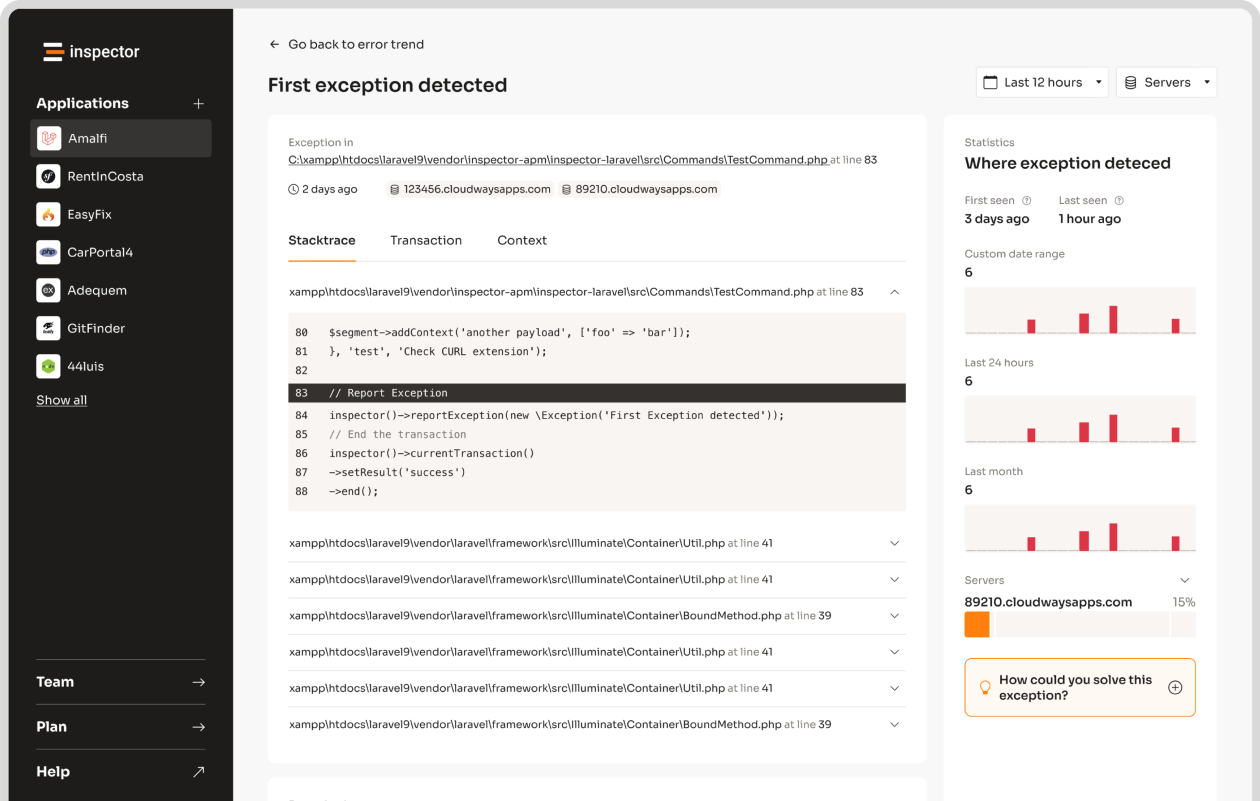
After setting up request body caching with ContentCachingRequestWrapper, Inspector can help you keep an eye on your application and troubleshoot any issues.
Inspector Features
Inspector provides monitoring for Spring Boot applications that use request body caching. To get started, add this dependency to your project:
<dependency>
    <groupId>dev.inspector</groupId>
    <artifactId>spring</artifactId>
    <version>[1.0.3,2.0.0)</version>
</dependency>
Next, set up Inspector in your application.properties file by adding your ingestion key:
inspector.ingestion-key=81e6d4df93xxxxxxxxxxxxxxxxxxxxxxxxxx
Inspector helps you track essential metrics, such as:
- HTTP requests with cached bodies
- Database queries tied to request handling
- External HTTP calls
- Performance stats for accessing cached content
These tools not only give you a clear picture of your application’s performance but also make debugging much easier.
Debugging with Inspector
Inspector’s debugging tools dive deep into your application’s request handling, providing insights like:
- How and when caches are created or accessed
- Memory usage for cached data
- Errors related to request body handling
- Response times for serving cached content
“Inspector’s real-time monitoring identifies caching issues instantly, offering actionable insights”
Inspector also prioritizes security by masking sensitive information in request bodies and headers. This way, you maintain privacy while still getting the data you need to optimize your caching process.