
Every Neuron agent starts with a tidy instructions() method: a few lines describing who the agent is, what it should do, and how it should talk. Then the agent meets real users, and that method starts to grow.
A customer needs reports in a specific format, so the format goes into the prompt. The support team wants refunds handled according to the company policy, so the policy goes in too. A few months later the instructions read like an employee handbook, and the model receives all of it with every single message, including a simple “thank you”.
Lately, many developers building with Neuron have been asking me the same question: is there a built-in way to manage skills? Now there is one, and I’m not the one who wrote it.
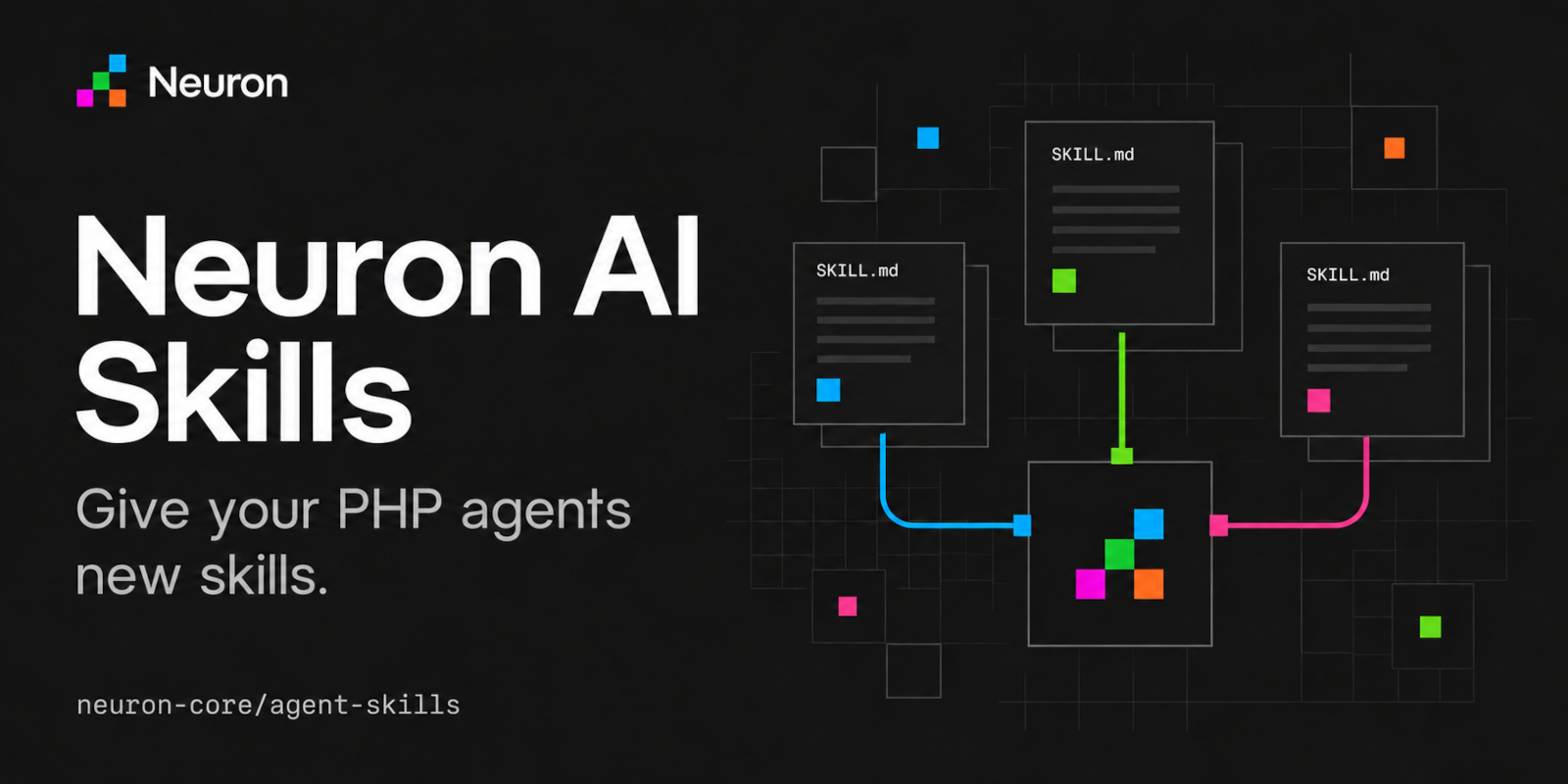
The package is neuron-core/agent-skills. It gives agents built with Neuron AI a toolkit to discover skills written with the open Agent Skills specification and to load them only when a task needs them. Skills can live in a local directory or in any custom storage you decide to connect.
Why putting everything in the system prompt doesn’t scale
Every rule you add to the system prompt, the text your instructions() method returns, has a cost. You pay it on every request, whether that rule is useful for the request or not.
To see why, it helps to know what the model actually receives. A language model doesn’t remember anything between two requests. Each time your agent calls the provider, it sends everything again: the instructions, the conversation so far, and the description of the tools the agent can use. All of this forms the model’s context, it has to fit in a limited space called the context window, and the model processes it entirely before writing the first word of the answer.
More instructions mean more tokens to pay for and more time before the response starts. The less visible cost is focus. When the refund policy sits next to the report format, the shipping rules, and a dozen other procedures, the model has to figure out which ones apply to the current message. The more text it has to sift through, the more often it follows the wrong rule or quietly ignores one.
Then there is maintenance. The procedures live inside a PHP method, so updating a policy means changing code and deploying. The people who know those procedures best, like the support team or the finance department, can’t touch them without a developer in the middle.
A common reaction is to split the work across several specialized agents. Sometimes that’s the right design, but it’s a bigger change than this problem requires. Most of the time the agent doesn’t need a new colleague. It needs the right page of instructions at the right moment.
What is Neuron AI
If you are hearing about Neuron AI for the first time, Neuron is the first agentic framework of the PHP ecosystem. It lets developers build full-featured AI agents and agentic applications with the language and the stack they already work with. An agent is a plain PHP class where you choose the model provider (OpenAI, Anthropic, Gemini, or local models through Ollama), write its instructions, and attach the tools it can use to act on your application. When you need more, the same framework gives you RAG on your own documents, structured output mapped onto your PHP classes, tools from any MCP server, and Workflows that can pause and wait for human approval before continuing. It installs with Composer in any PHP project, whether it runs on Laravel, Symfony, WordPress or no framework at all. Neuron has more than a million downloads on Packagist, and 2.1k stars on GitHub.
What are Agent Skills?
Agent Skills are an open format for packaging the instructions and resources an AI agent needs to perform a specific task. The agent loads them only when that task comes up.
A skill is a folder with a SKILL.md file inside. The file starts with a short YAML header containing two required fields: a name, and a description that explains what the skill does and when to use it. After the header come the instructions, written in plain Markdown. Next to SKILL.md, the folder can contain anything else the task needs, like reference documents, templates, data files, or scripts.
The format was originally developed by Anthropic for Claude, then released as an open standard. Today it’s supported by a long list of agent products, including Claude Code, Codex, GitHub Copilot, Cursor, and Gemini CLI, and its rules are defined in the Agent Skills specification.
If you already use one of those coding assistants, you might have skills installed that teach it how to work on your projects. This package brings the same format somewhere else: inside the agents you build with Neuron and run in your application, the ones that talk to your users.
How progressive disclosure keeps the context small
Skills solve the problem of the growing system prompt because of the way they are loaded, which the specification calls progressive disclosure. At startup the agent only knows the name and description of each skill, around a hundred tokens each. When a request matches a description, the agent loads the full SKILL.md, and if the instructions mention other files, it opens them only at the moment it needs them.
Think about a new colleague in their first week. Nobody expects them to memorize every company procedure on day one. They know which manuals exist and what each one covers, and they open the right one when a task requires it.
The result is that a skill the agent doesn’t need costs a couple of lines of description, not pages of instructions. You can give an agent many skills and still keep every request light.
Skills and tools are not the same thing
If you are new to agents, it’s easy to confuse the two. A tool is a function the agent can ask your application to execute, like searching orders in your database or sending an email. A skill is knowledge: it tells the agent how to approach a task, and it can tell the agent which tools to use, in which order, and with which precautions.
The two work well together. In fact, as you’ll see in a moment, the package delivers skills to the agent through two small tools.
How a community package became part of Neuron
Agent Skills support didn’t come from my roadmap. It came from Alessandro Astarita, CTO at Capri.com and one of the first contributors to Neuron. He has been around since the beginning, and among other things he rebuilt the framework’s RAG module.
Recently Alessandro showed me a package he had built to bring Agent Skills into Neuron agents. The timing was hard to ignore: in the same weeks, developers kept asking me for a built-in way to manage skills, and here was an implementation that already worked.
What convinced me is how little the package tries to do. It doesn’t invent a new format: it follows the open specification, so the skills you write aren’t tied to Neuron. It gives the agent two tools and nothing more. And it leaves the decisions that belong to your application, like whether scripts can be executed, in the hands of your application.
I liked it so much that I asked Alessandro to join the Neuron organization on GitHub and move the package under official support. He liked the idea, and the package now lives in the neuron-core organization next to the framework.
For you this has practical consequences. The package follows Neuron’s major versions, its test suite runs on PHP 8.1 to 8.5 against multiple Neuron releases, and issues and pull requests go through the same organization that maintains the framework.
How to add Agent Skills to a Neuron AI agent
Adding skills to a Neuron agent takes one Composer package and one toolkit. The package requires PHP 8.1 or later and Neuron 4. If your project is still on Neuron 3, use the 0.x releases.
composer require neuron-core/agent-skillsThen you need at least one skill. The quickest way to try the package is to install one from skills.sh, a public directory of community skills, using the Skills CLI. The CLI runs on Node.js, so you need npm on your machine:
npx skills add juliusbrussee/caveman --skill caveman --agent universal --yesThis installs a skill called caveman into the .agents/skills directory of your project. It makes the agent answer in a terse caveman style. It’s probably not what your customers expect, but it’s a good first test, because you can’t miss when the skill is active.
Now point the toolkit to that directory and register it on the agent, replacing your-api-key with your OpenAI key:
use NeuronAI\Agent\Agent;
use NeuronAI\Chat\Messages\UserMessage;
use NeuronAI\Providers\OpenAI\OpenAI;
use NeuronAI\AgentSkills\Storage\FileSystemSkillStorage;
use NeuronAI\AgentSkills\Tools\SkillToolkit;

$toolkit = SkillToolkit::make()
    ->fromStorage(new FileSystemSkillStorage(__DIR__.'/.agents/skills'));

$agent = Agent::make()
    ->setThreadId('quick-start')
    ->setAiProvider(new OpenAI(key: 'your-api-key', model: 'gpt-5.4-nano'))
    ->addTool($toolkit);

$response = $agent->chat(new UserMessage(
    'Use caveman skill to explain how the universe works.',
));

echo $response->getMessage()->getContent();

// Actual response (excerpt):
// Cosmic history: big bang expansion. Early hot plasma cooled; atoms formed.
// Gravity pulled gas into stars, stars forged heavier elements. Supernovae
// spread elements; mergers build galaxies.
Three pieces are involved here. FileSystemSkillStorage tells the package where the skills are. SkillToolkit turns them into tools the agent can use. And addTool() registers the toolkit like any other Neuron toolkit, which is simply a group of tools that can also add a few lines of guidance to the agent’s instructions.
If you define your agents as classes, the toolkit goes in the tools() method. Notice how short instructions() becomes when the procedures live in skills:
namespace App\Neuron;

use NeuronAI\Agent\Agent;
use NeuronAI\Providers\AIProviderInterface;
use NeuronAI\Providers\OpenAI\OpenAI;
use NeuronAI\AgentSkills\Storage\FileSystemSkillStorage;
use NeuronAI\AgentSkills\Tools\SkillToolkit;

class SupportAgent extends Agent
{
    protected function provider(): AIProviderInterface
    {
        return new OpenAI(key: 'your-api-key', model: 'gpt-5.4-nano');
    }

    protected function instructions(): string
    {
        return 'You are the customer support agent of an online store.';
    }

    protected function tools(): array
    {
        return [
            SkillToolkit::make()->fromStorage(
                new FileSystemSkillStorage(__DIR__.'/skills'),
            ),
        ];
    }
}
You use it like the agent above: set a thread ID with setThreadId() and call chat().
Combining more skill directories
You can load skills from more than one place, for example the skills you bundle with your application and the ones installed with the CLI. Pass the storages in order of precedence: when two skills declare the same name, the first one wins.
$toolkit = SkillToolkit::make()
    ->fromStorage(
        new FileSystemSkillStorage(__DIR__.'/skills'),
        new FileSystemSkillStorage(__DIR__.'/.agents/skills'),
    );
One practical note: each storage is scanned the first time it’s accessed, then its catalog is reused. In a normal PHP request this goes unnoticed, but in a long-running process like a queue worker you need to restart it, or recreate the toolkit, after adding new skills.
Writing your first skill
A skill is a folder and a Markdown file, so you can write one in a few minutes without touching your PHP code.
Let’s go back to the refund policy from the beginning of the article. Inside your skills directory, create a folder named after the skill:
skills/
└── refund-requests/
    ├── SKILL.md
    └── references/
        └── damaged-items.md
The SKILL.md file contains the header and the instructions:
---
name: refund-requests
description: Handle customer requests for refunds, returns, or order cancellations following the store policy. Use it when a customer asks for their money back, wants to return a product, or reports a damaged delivery.
---

# Refund requests

Ask for the order number if the customer didn't provide it.

Orders delivered less than 30 days ago can be refunded in full. After 30 days, offer store credit instead of a refund.

If the customer reports a damaged product, read references/damaged-items.md before answering.

Never promise a date for the refund. Explain that refunds are processed within five business days from approval.
The name can only contain lowercase letters, numbers, and hyphens, and it must match the folder name. The description is the line that deserves the most attention. Together with the name, it’s the only thing the agent reads before deciding whether to load the skill, so it should say what the skill does and when to use it, with the words your users are likely to write.
The damaged-items.md file holds the detailed procedure for broken deliveries: which photos to request, how to open a claim with the carrier, when to ship a replacement. It’s useful in a small number of conversations, so it stays out of the context until one of them happens.
What happens when a request arrives
With skills, the agent pays for the refund policy only when someone actually asks for a refund.
When the agent runs, the toolkit adds a short block to its instructions with the catalog: for each skill, its name, its description, and its location. At this point the agent knows that refund-requests exists and what it’s for, nothing more.
Now a customer writes: “My order arrived with a broken screen and I want my money back.” The model recognizes the situation in the description of refund-requests and calls the skill tool to load the complete SKILL.md. The instructions mention damaged products, so it calls skill_resource to read references/damaged-items.md. Only then does it answer, following your policy.
If the next customer asks what time the store closes, none of this happens. The policy stays where it is, and the request carries just the single catalog line that describes it.
The interactive demo in the repository shows a side effect worth knowing. Once loaded, a skill’s instructions become part of the conversation history. In the demo the agent is first asked to explain the universe with the caveman skill, then to check the PHP runtime with a second skill, and the results come back in caveman language. Funny in a demo, but keep it in mind when a skill changes the tone or the format of the answers.
Skills that include scripts
Skills can also include scripts, but the package only reads text and never executes anything on its own. If you want the agent to run a skill’s scripts, you register an execution tool next to the toolkit, like Neuron’s BashTool:
use NeuronAI\Tools\Toolkits\FileSystem\BashTool;

$agent = Agent::make()
    ->setThreadId('php-check')
    ->setAiProvider(new OpenAI(key: 'your-api-key', model: 'gpt-5.4-nano'))
    ->addTool($toolkit)
    ->addTool(new BashTool());
This is how the php-check skill in the repository examples works: it reads a reference file with the requirements, runs a small PHP script, and explains which checks your PHP runtime passes.
Giving an agent a shell is a decision to take carefully, especially in production, and the package leaves it entirely to you. The guidelines it adds to the prompt even remind the model that skill instructions don’t grant permission to use a tool. In the same spirit, the filesystem storage refuses paths that point outside the skill’s folder, so a resource path can’t be used to read files like your .env.
Loading skills from a database or custom storage
Skills don’t have to live on disk: any backend that can return text can become a skill storage.
Think back to the maintenance problem. The people who know the refund policy aren’t developers. If skills live in your database, the support team can edit them from an admin panel, and the agent uses the new version without a deploy. The same approach works for a multi-tenant application where every customer has its own procedures, or for skills kept in an object storage shared by several servers.
To connect a different backend you implement SkillStorageInterface, which has three methods. list() returns the identifiers of the available skills, read() returns the content of a text file at a path relative to a skill, and location() returns a place where host tools like a shell can find the skill files, or null when there isn’t one.
Here is a storage that reads skills from a skill_files table, with one row per file:
namespace App\Neuron\Skills;

use NeuronAI\AgentSkills\Storage\SkillStorageInterface;
use PDO;
use RuntimeException;

class DatabaseSkillStorage implements SkillStorageInterface
{
    public function __construct(protected PDO $pdo)
    {
    }

    public function list(): array
    {
        return $this->pdo
            ->query('SELECT DISTINCT skill FROM skill_files')
            ->fetchAll(PDO::FETCH_COLUMN);
    }

    public function read(string $skill, string $path): string
    {
        $statement = $this->pdo->prepare(
            'SELECT content FROM skill_files WHERE skill = ? AND path = ?'
        );
        $statement->execute([$skill, $path]);

        $content = $statement->fetchColumn();

        if ($content === false) {
            throw new RuntimeException("File {$path} not found in skill {$skill}.");
        }

        return $content;
    }

    public function location(string $skill): ?string
    {
        // Database rows have no location a shell could reach.
        return null;
    }
}
The package reads the manifest through the same read() method, asking for the path SKILL.md, so every skill needs a row with that path. Returning null from location() tells the agent there’s no folder to run scripts from, so it reads everything through skill_resource. Expected errors, like a missing file, should be thrown as a RuntimeException: the tools report them to the agent instead of breaking the conversation.
Then you register the new storage like the others:
$toolkit = SkillToolkit::make()->fromStorage(
    new DatabaseSkillStorage($pdo),
    new FileSystemSkillStorage(__DIR__.'/skills'),
);
Since the first storage wins when two skills share the same name, putting the database first lets the version edited by your team override the default you ship with the application. For a multi-tenant application, add a tenant column to the table and pass the tenant ID to the constructor.
Using the same skills in the rest of your application
The agent isn’t the only part of your application that can use skills. SkillRepository gives you direct access to the catalog, so you can share it between the toolkit and other features, like a page that lists the available skills or a slash command that invokes one explicitly.
use NeuronAI\AgentSkills\SkillRepository;
use NeuronAI\AgentSkills\Storage\FileSystemSkillStorage;
use NeuronAI\AgentSkills\Tools\SkillToolkit;

$skills = new SkillRepository(
    new FileSystemSkillStorage(__DIR__.'/skills'),
);

$agent->addTool(new SkillToolkit($skills));

foreach ($skills->catalog() as $skill) {
    echo $skill->name().': '.$skill->description();
}
The get() method returns a single skill, from which you can read the instructions, the frontmatter, or any resource. And when a skill is invalid, for example because of a broken header, the package skips it instead of breaking the agent, and $skills->diagnostics() tells you why.
From a long system prompt to a library of skills
The instructions() method from the beginning of this article can go back to being a few lines long. The procedures move into folders you can version with Git and review in a pull request, and with a custom storage they can be maintained by the people who actually know them.
Because the package follows an open specification, it also connects your PHP agents to work that already exists outside PHP. Skills published for other agents can be installed in your Neuron project with the same CLI, and the skills you write for your application aren’t locked into Neuron.
The part of this story I care about is where the package came from. Alessandro solved a problem the community kept asking about, he solved it with care, and now his work has a home next to the framework, with official support.
You can find the code and the runnable examples in the GitHub repository. If you try it, open an issue, send a pull request, or simply tell us how you are using skills in your agents. The development checks run with composer check and don’t need an API key, so contributing doesn’t cost you a single token.
Grazie, Alessandro.