
, by Valerio Barbera
Iterate files and directories in PHP - Fast tips
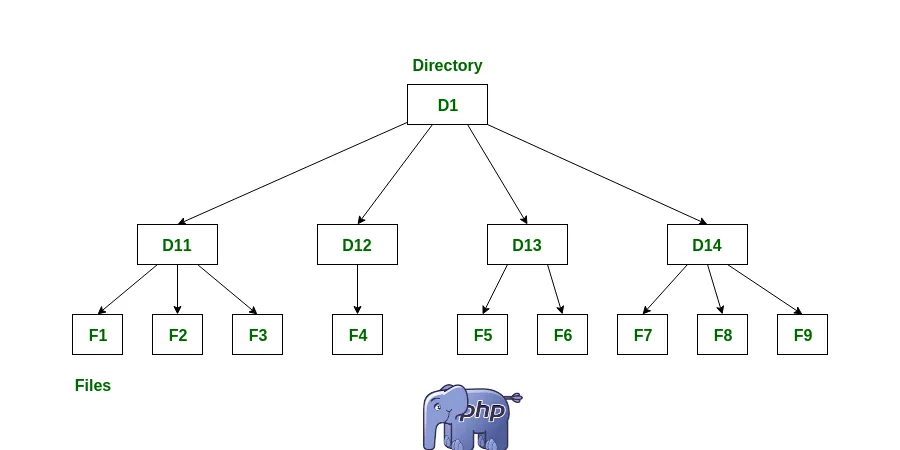
I recently had the need to deal with some tasks that require knowledge of raw PHP functions like iterate files and directories. As we develop ever higher levels of abstraction, we often no longer remember how to work at a low level. In reality, there are many implications, especially in terms of performance.
As I carry on these optimizations I’m noticing that my application supports increasing workloads, despite the decrease in the consumption of hardware resources. I Hope the snippets below can help not only young developers but also seasoned professionals who are looking for performance optimizations ideas.
There are several options to iterate files and directories in PHP:
- glob() function
- RecursiveDirectoryIterator class
- scandir() function
- PHP generators
Method 1: Using “glob()”
The glob function extract files and directories that match a pattern. It is useful when you need to specify a sort of rule to extract items from the filesystem structure.
You can also pass a second parameters as a costant to get only directories.
<?php
$directory = 'path/to/directory'; // Replace with the actual directory path

// Extracts files and directories that match a pattern
$items = glob($directory . '/*');
foreach ($items as $item) {
    if (is_file($item)) {
        echo "File: {$item}\n";
    }

    if (is_dir($item)) {
        echo "Directory: {$item}\n";
    }
}

// Iterate over directories
$directories = glob($directory . '/*', GLOB_ONLYDIR);
foreach ($directories as $dir) {
    echo "Directory: $dir\n";
}
Method 2: Using “RecursiveDirectoryIterator” class
This is obviously a more Object Oriented approach.
<?php
$directory = 'path/to/directory'; // Replace with the actual directory path

$iterator = new RecursiveIteratorIterator(
    new RecursiveDirectoryIterator($directory, RecursiveDirectoryIterator::SKIP_DOTS),
    RecursiveIteratorIterator::SELF_FIRST
);

foreach ($iterator as $item) {
    $path = $item->getPathname();
    if ($item->isFile()) {
        echo "File: {$path}\n";
    } elseif ($item->isDir()) {
        echo "Directory: {$path}\n";
    }
}
Method 3: Using “scandir()”
The scandir() function is another option available in PHP to iterate over files and directories. It returns an array of file and directory names including current directory (“.”) and parent directory (“..”).
<?php
$directory = 'path/to/directory'; // Replace with the actual directory path

$entries = scandir($directory);
foreach ($entries as $entry) {
    if ($entry !== '.' && $entry !== '..') {
        $path = $directory . '/' . $entry;
        if (is_file($path)) {
            echo "File: {$path}\n";
        } elseif (is_dir($path)) {
            echo "Directory: {$path}\n";
        }
    }
}
In this example The foreach loop iterates over each entry, excluding the current directory (‘.’) and parent directory (‘..’). The $path variable is constructed by concatenating the directory path and the entry name.
Method 4: Using “generators”
PHP generators can be used to iterate over files and directories. Generators provide a memory-efficient way to generate a sequence of values on-the-fly, which is useful when dealing with large sets of files or directories.
Here’s an example that demonstrates how to use a generator to iterate over files in a directory:
<?php

// Function that returns yields
function iterateFiles($directory) {
    $files = scandir($directory);
    foreach ($files as $file) {
        if ($file !== '.' && $file !== '..') {
            $path = $directory . '/' . $file;
            if (is_file($path)) {
                yield $path;
            }
        }
    }
}

$directory = 'path/to/directory'; // Replace with the actual directory path

$fileGenerator = iterateFiles($directory);
foreach ($fileGenerator as $file) {
    echo "File: $file\n";
}
Remeber, any function that return yields is a generator. As explained in the official documentation:
When a generator function is called, it returns an object that can be iterated over. When you iterate over that object, PHP will call the object’s iteration methods each time it needs a value, then saves the state of the generator when the generator yields a value so that it can be resumed when the next value is required.
Save and resume the state of the generator allows for a super efficient use of the system memory.
You can follow me on Linkedin or X. I post about building my SaaS business.